> For the complete documentation index, see [llms.txt](https://learn.charm.fi/charm/llms.txt). Markdown versions of documentation pages are available by appending `.md` to page URLs; this page is available as [Markdown](https://learn.charm.fi/charm/provide-liquidity/user-guides/portfolio-page.md).

# Portfolio Page

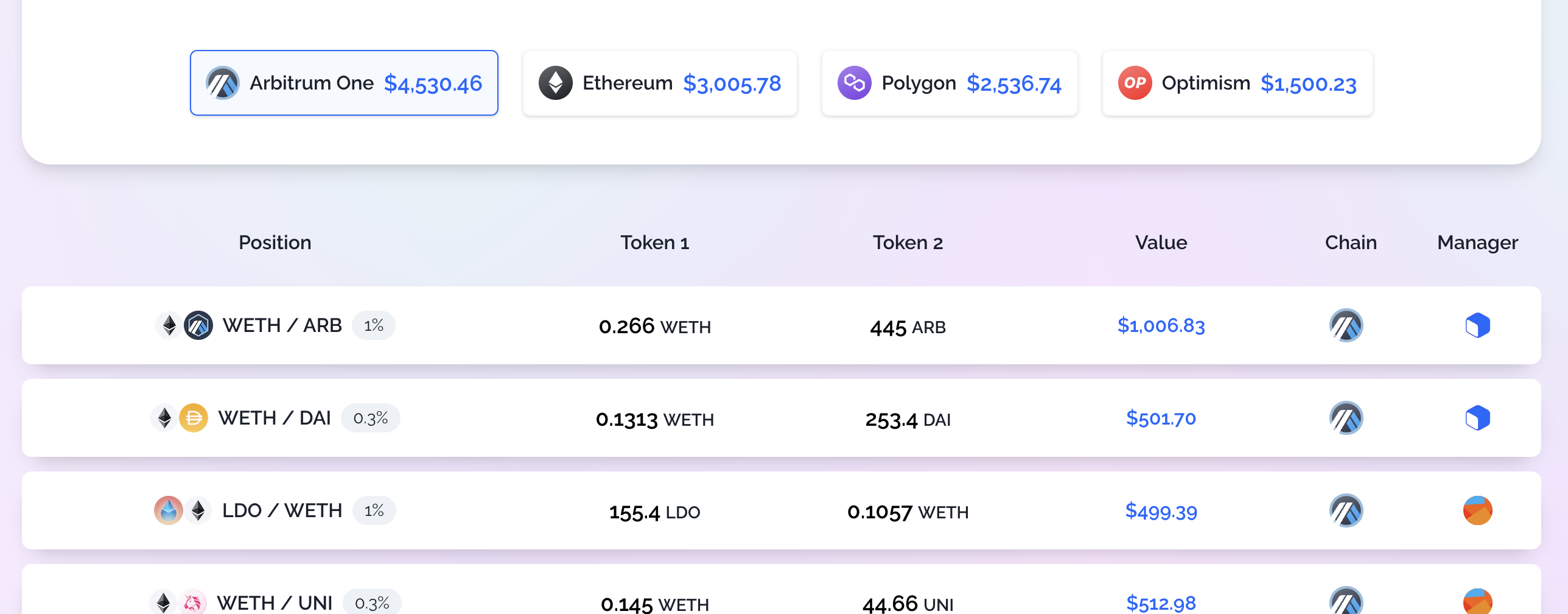
The portfolio page provides an overview of all the connected wallet's deposits in Alpha Vaults across all chains:

<figure><img src="https://3306594273-files.gitbook.io/~/files/v0/b/gitbook-x-prod.appspot.com/o/spaces%2FncWpbfiN022KvH5AGrQq%2Fuploads%2FO9q7TIxnFk0fXAQc1Zf5%2Fimage.png?alt=media&amp;token=b537dfbd-8541-47f2-94f8-cd656687711a" alt=""><figcaption></figcaption></figure>

Users can filter for a particular chain's deposits by clicking on the chain:

<figure><img src="https://3306594273-files.gitbook.io/~/files/v0/b/gitbook-x-prod.appspot.com/o/spaces%2FncWpbfiN022KvH5AGrQq%2Fuploads%2FtTVaq1RhaiEZJRYopIrP%2FScreenshot%202023-07-12%20at%2013.44.55.png?alt=media&amp;token=faf45f1e-91ef-49c5-88b1-856518c2b0b8" alt=""><figcaption></figcaption></figure>

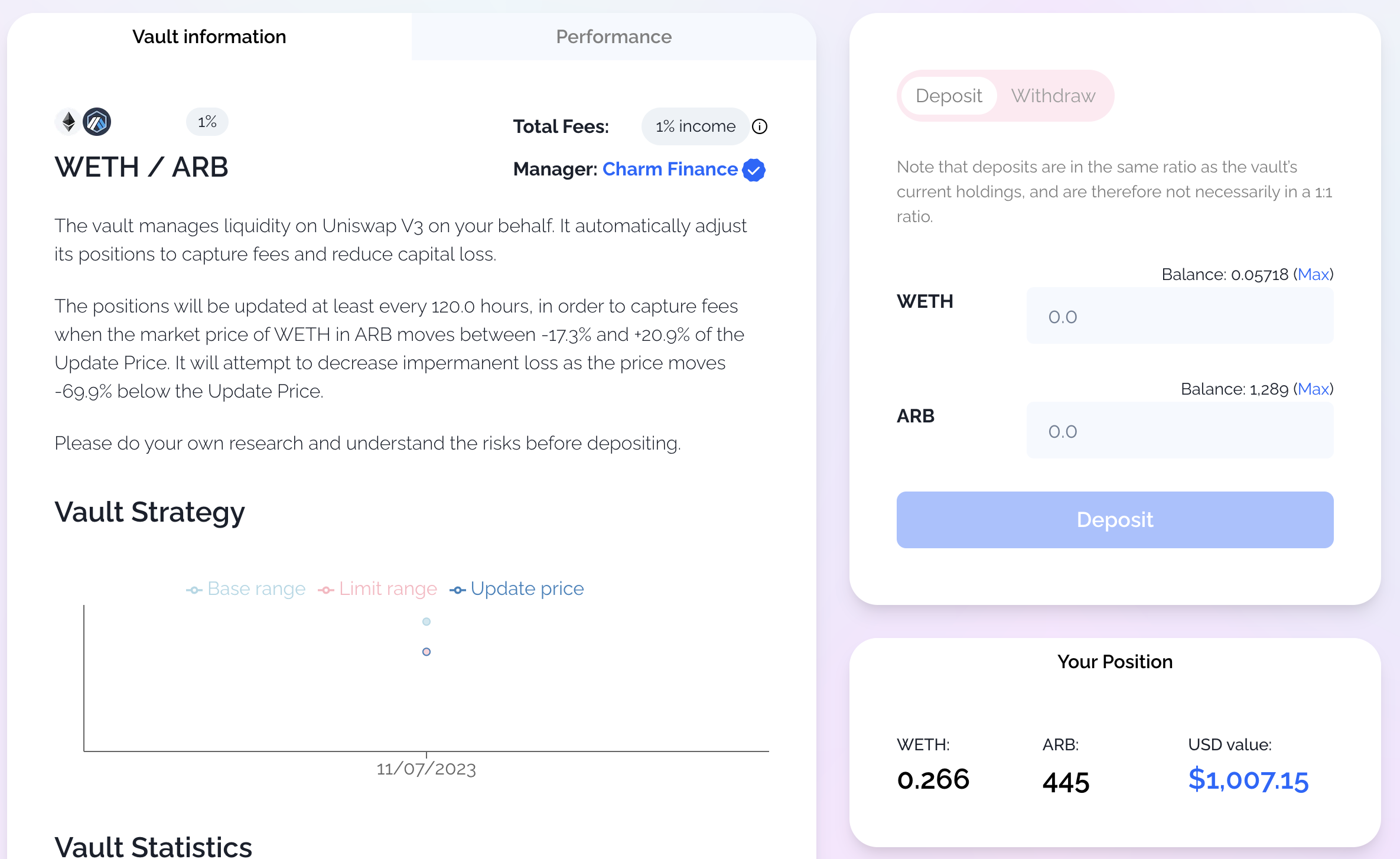
They can click on a position to go to the vault holding their deposits:

<figure><img src="https://3306594273-files.gitbook.io/~/files/v0/b/gitbook-x-prod.appspot.com/o/spaces%2FncWpbfiN022KvH5AGrQq%2Fuploads%2FEV4F1gWBLq3z5XzY4BhB%2FScreenshot%202023-07-12%20at%2013.47.13.png?alt=media&amp;token=4ef73bf0-6c1d-40e6-9b1c-d228e5c75c5c" alt=""><figcaption></figcaption></figure>